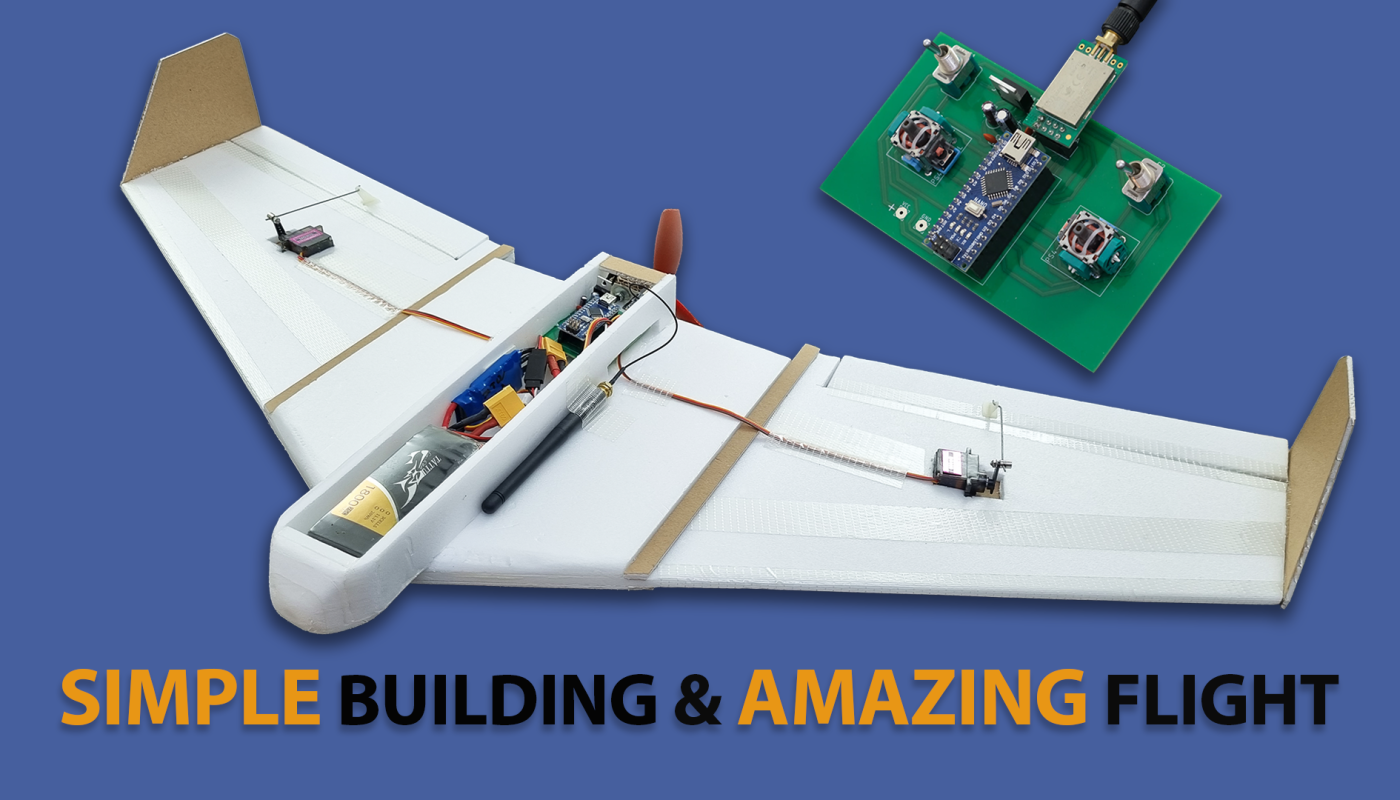
You can build a very stable flying-wing model using simple materials. It’s simple, but it flies beautifully.
You can also make the necessary remote control yourself. Below you’ll find the necessary material links, code, and Gerber files for the remote control circuit featuring a V-tail mix.
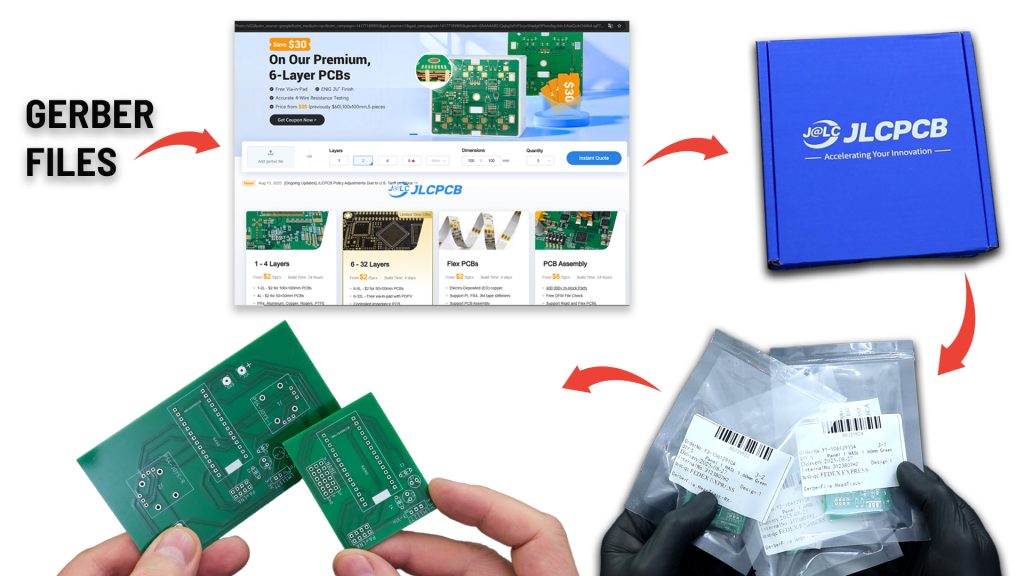
For this model, I designed a remote control with a V-tail mix. I needed PCBs for the transmitter and receiver circuits I designed. I chose JLCPCB again for PCB fabrication.
After placing my order, my PCBs were prepared and shipped within 24 hours. They arrived 5-6 days later.
The PCBs are truly high-quality, just like the ones I received with my previous order.
I thank JLCPCB for their high quality and fast service.
You can reach JLCPCB through the affiliate link below.
Discover Easy, Affordable, and Reliable PCB Manufacturing with JLCPCB! Register to receive a $70 New Customer Coupon: https://jlcpcb.com/?from=KendinYap
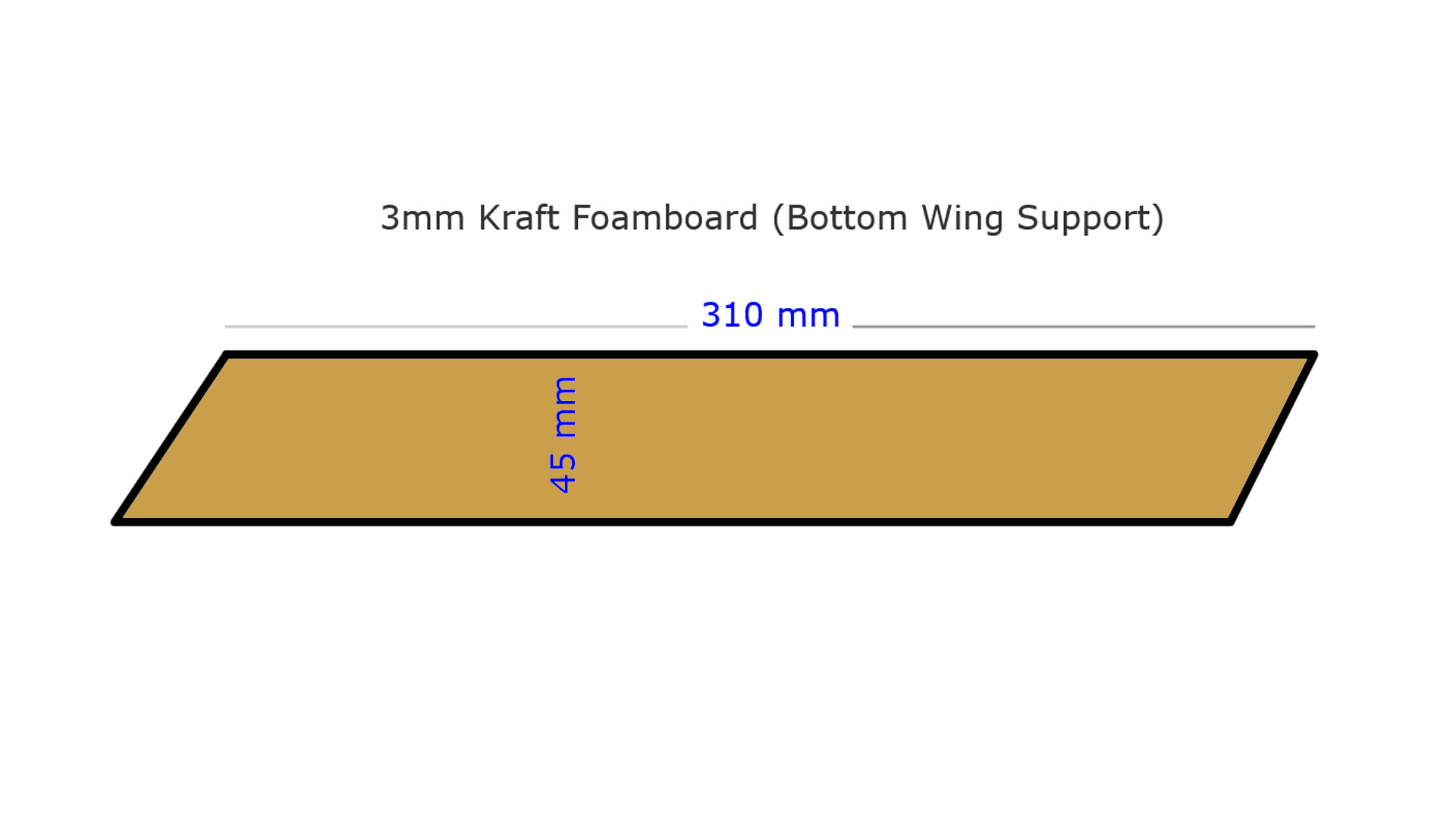
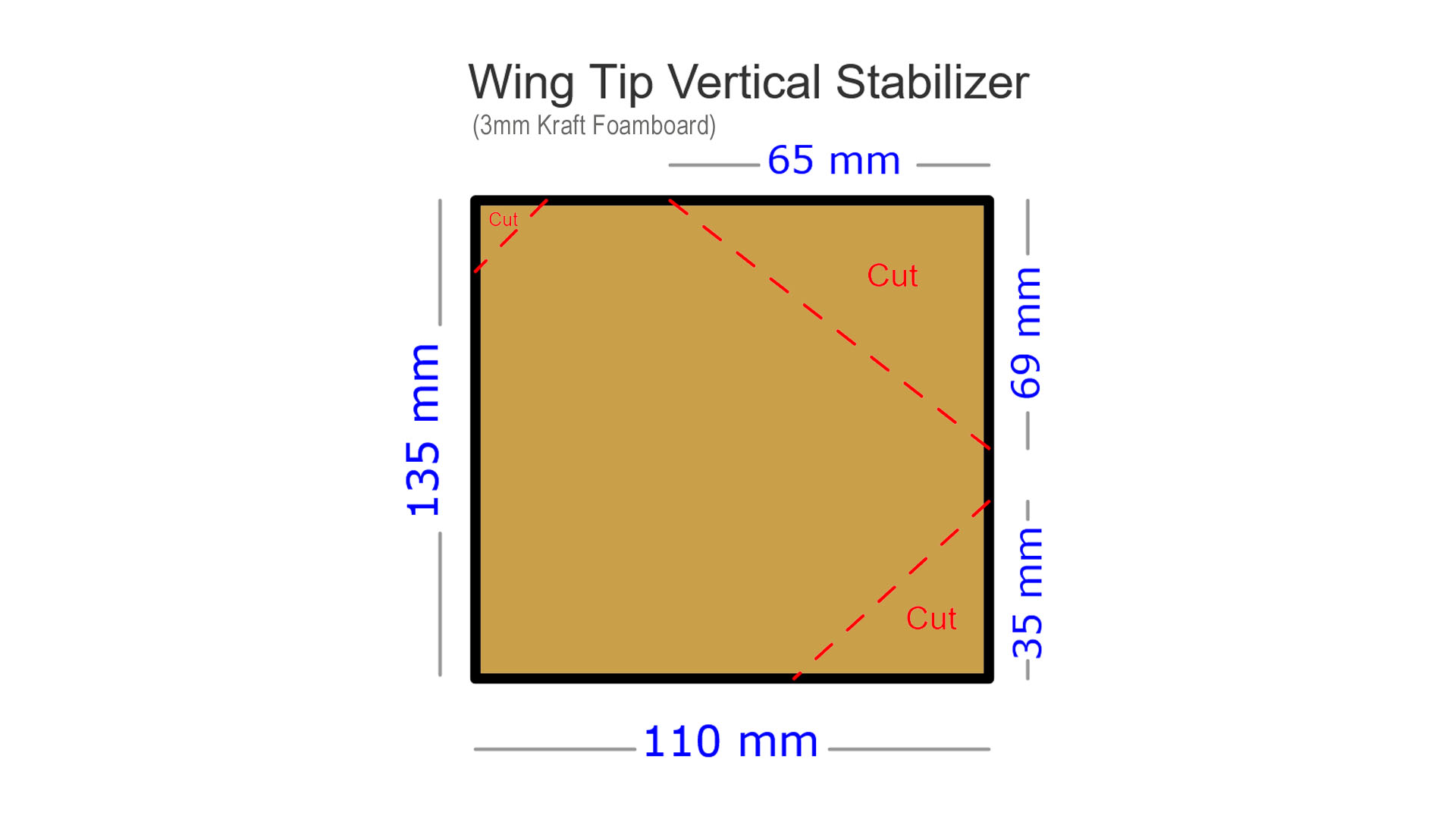
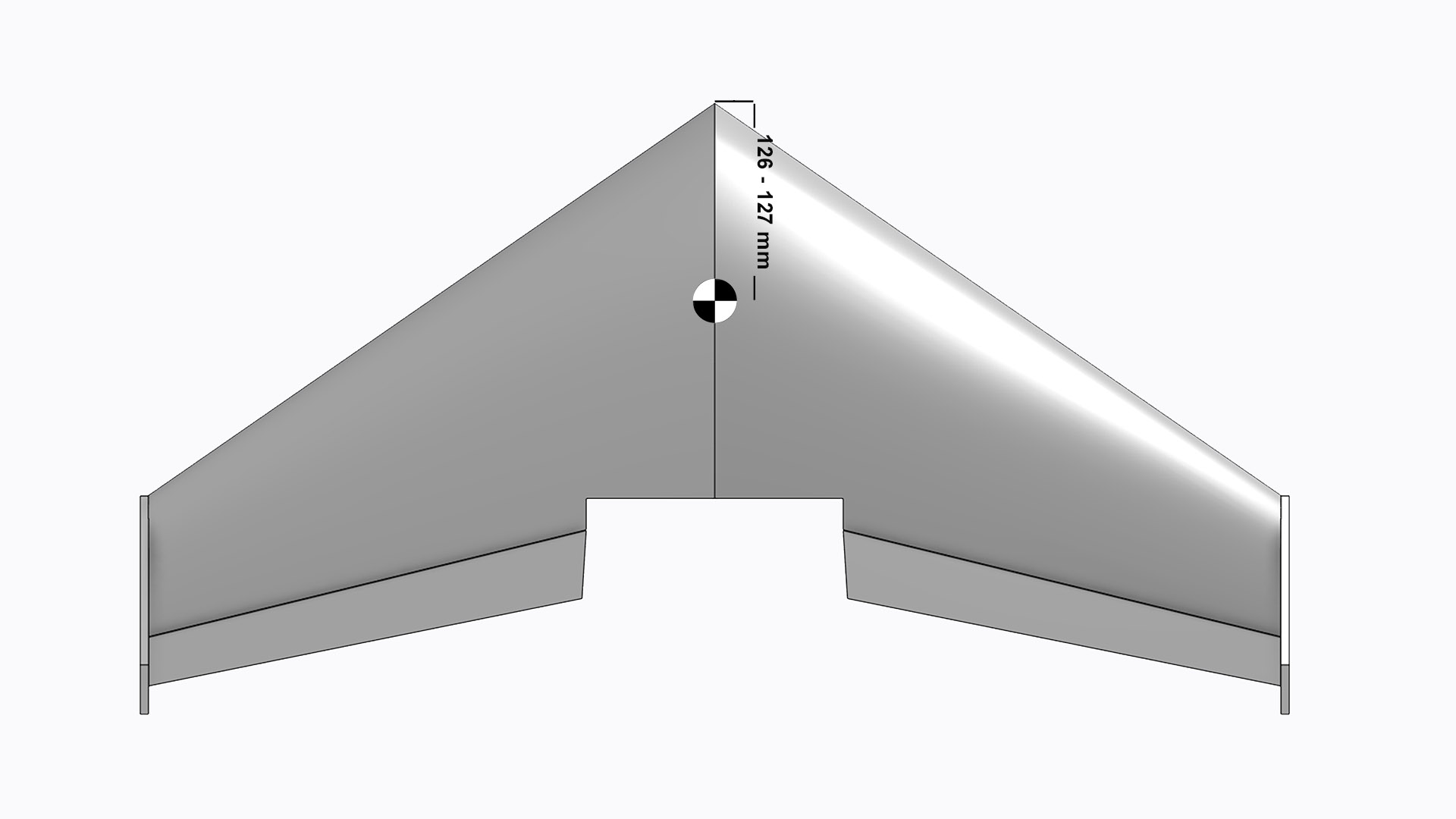
Flying-Wing Dimension diagrams:
Needs:
2205 2300KB Motor (CW): https://s.click.aliexpress.com/e/_c4nRBtf5
30A BL ESC : https://s.click.aliexpress.com/e/_c3VUiwVV
5050 or 5045 3-Blade Propeller: https://s.click.aliexpress.com/e/_c4OTvBET
MG90S Servo : https://s.click.aliexpress.com/e/_c3DsOBcn
NRF24L01+PA+LN 100mW (E01-ML01DP5): https://s.click.aliexpress.com/e/_DmEoWQf
Arduino Nano V3 (Micro connector): https://s.click.aliexpress.com/e/_c3b9RuoL
GT-24 NRF24L01+PA+LNA (With Antenna): https://s.click.aliexpress.com/e/_DekKUm9
2 x PS4 Analogue Joystick (10K) : https://s.click.aliexpress.com/e/_c4rwcFkn OR https://s.click.aliexpress.com/e/_o2DDPGN
2 x Toggle switch: https://s.click.aliexpress.com/e/_DCd5Pzh
LM1117 3.3V: https://s.click.aliexpress.com/e/_c3HKkBAT
Capacitors 10uF (2 pcs), 100uF (3 pcs): https://s.click.aliexpress.com/e/_c3CX0WUb
Capacitor 100nF 104 (5 pcs): https://s.click.aliexpress.com/e/_omwl5j1
JST 2-Pin : https://s.click.aliexpress.com/e/_ooekDr1
6mm insulation styrofoam (2 plate)
3mm kraft foamboard (1 plate)
80W soldering iron: https://s.click.aliexpress.com/e/_c4KNZUMT
Digital Multimetre AC DC A830L : https://s.click.aliexpress.com/e/_c4PlUhET
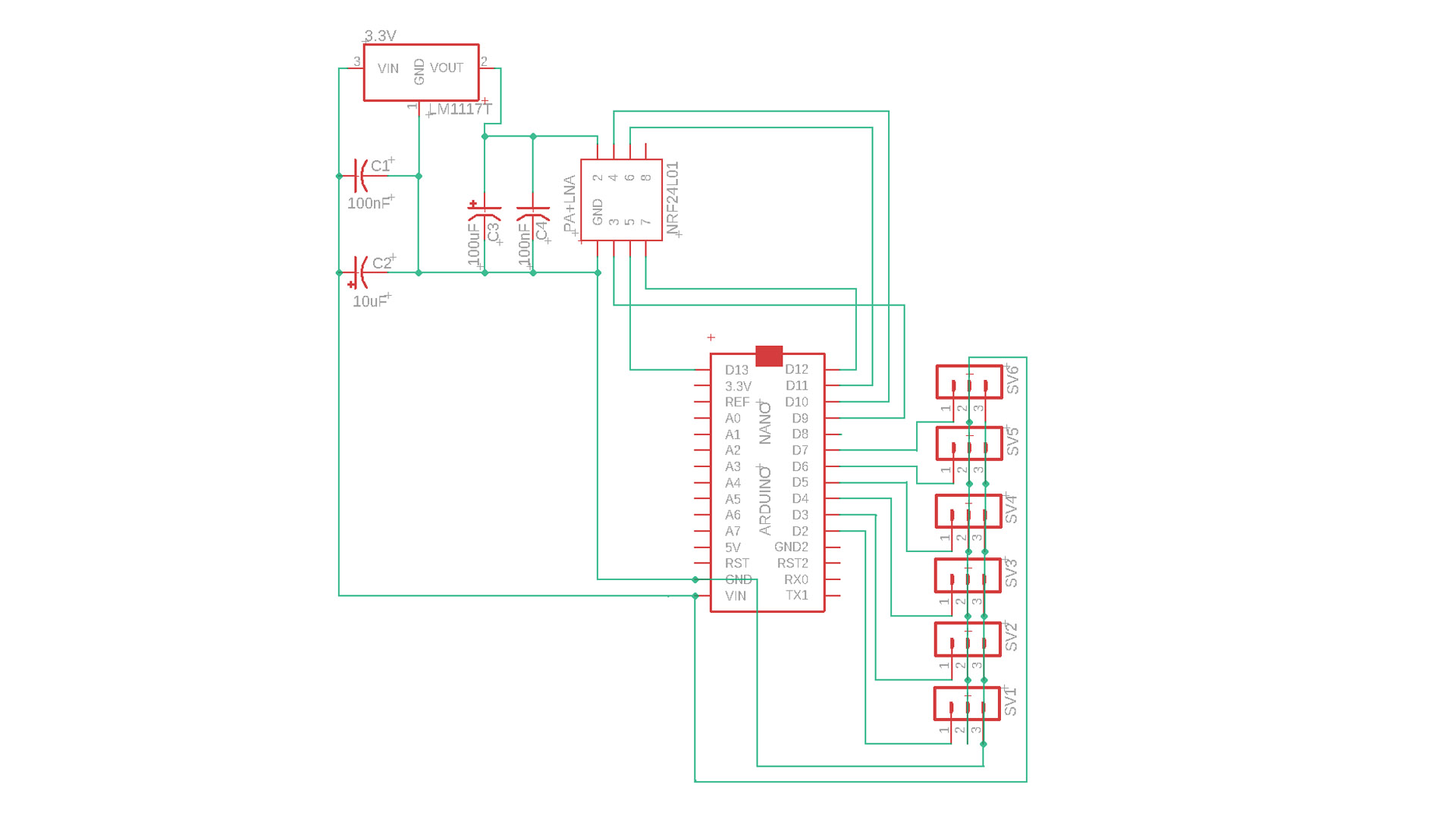
Transmitter Circuit Schematic:
The remote control circuit has six channels. However, three channels will be used for the Flying-Wing model. Elevator, aileron and throttle controls are sufficient for this type of model.
Transmitter Code For Arduino NANO :
					// 6 Channel Transmitter | 6 Kanal Verici
// @KendinYap Channel

  #include <SPI.h>
  #include <nRF24L01.h>
  #include <RF24.h>
  const uint64_t pipeOut = 0xABCDABCD71LL;         // NOTE: The address in the Transmitter and Receiver code must be the same "0xABCDABCD71LL" | Verici ve Alıcı kodundaki adres aynı olmalıdır
  RF24 radio(9, 10);                               // select CE,CSN pin | CE ve CSN pinlerin seçimi

  struct Signal {
  byte throttle;
  byte pitch;
  byte roll;
  byte yaw;
  byte aux1;
  byte aux2;

};
  Signal data;
  void ResetData()
{
  data.throttle = 0;
  data.pitch = 127;
  data.roll = 127;
  data.yaw = 127;
  data.aux1 = 0;
  data.aux2 = 0;

}
  void setup()
{
                                       // Configure the NRF24 module  | NRF24 modül konfigürasyonu
  radio.begin();
  radio.openWritingPipe(pipeOut);
  radio.setChannel(100);
  radio.setAutoAck(false);
  radio.setDataRate(RF24_250KBPS);    // The lowest data rate value for more stable communication  | Daha kararlı iletişim için en düşük veri hızı.
  radio.setPALevel(RF24_PA_MAX);      // Output power is set for maximum range  |  Çıkış gücü maksimum menzil için ayarlanıyor.
  radio.stopListening();              // Start the radio comunication for Transmitter | Verici için sinyal iletişimini başlatır.
  ResetData();

}
                                      // Joystick center and its borders | Joystick merkez ve sınırları
  int Border_Map(int val, int lower, int middle, int upper, bool reverse)
{
  val = constrain(val, lower, upper);
  if ( val < middle )
  val = map(val, lower, middle, 0, 128);
  else
  val = map(val, middle, upper, 128, 255);
  return ( reverse ? 255 - val : val );
}
  void loop()
{

  data.roll = Border_Map( analogRead(A3), 0, 512, 1023, true );        // CH1   Note: "true" or "false" for signal direction | "true" veya "false" sinyal yönünü belirler
  data.pitch = Border_Map( analogRead(A0), 0, 512, 1023, true );       // CH2
  data.throttle = Border_Map( analogRead(A2),0, 340, 570, true );      // CH3   Note: For Single side ESC | Tek yönlü ESC için
  // data.throttle = Border_Map( analogRead(A2),0, 512, 1023, true );  // CH3   Note: For Bidirectional ESC | Çift yönlü ESC için
  data.yaw = Border_Map( analogRead(A1), 0, 512, 1023, false );        // CH4
  data.aux1 = digitalRead(0);                                          // CH5
  data.aux2 = digitalRead(3);                                          // CH6

  radio.write(&data, sizeof(Signal));
}
Receiver Code For Arduino (V-Tail Mix) :
					// 6-Channel Delta Mix & V-Tail mix Receiver | 6 kanal Delta Miks & V-tail mix Alıcı (FOR ARDUINO MICRO PRO)

#include <SPI.h>          // Include SPI library for communication with the nRF24L01 module | nRF24L01 modülü ile iletişim için SPI kütüphanesini ekle
#include <nRF24L01.h>     // Include nRF24L01 library for nRF24L01 module | nRF24L01 modülü için kütüphaneyi ekle
#include <RF24.h>         // Include RF24 library for radio communication | Radyo iletişimi için RF24 kütüphanesini ekle
#include <Servo.h>        // Include Servo library for controlling servos | Servo motorları kontrol etmek için Servo kütüphanesini ekle

// Variables to store the pulse width for each channel | Her kanal için darbe genişliğini saklayacak değişkenler
int ch_width_1 = 0;
int ch_width_2 = 0;
int ch_width_3 = 0;
int ch_width_4 = 0;
int ch_width_5 = 0;
int ch_width_6 = 0;

// Servo objects for each channel | Her kanal için Servo nesneleri
Servo ch1;
Servo ch2;
Servo ch3;
Servo ch4;
Servo ch5;
Servo ch6;

// Structure to store the received signal data | Alınan sinyal verilerini saklamak için yapı
struct Signal {
  byte throttle;  // Throttle channel | Gaz kanalı
  byte pitch;     // Pitch channel   | Pitch kanalı
  byte roll;      // Roll channel    | Roll kanalı
  byte yaw;       // Yaw channel     | Yaw kanalı
  byte aux1;      // Auxiliary channel 1 | Yardımcı kanal 1
  byte aux2;      // Auxiliary channel 2 | Yardımcı kanal 2
};

Signal data;  // Create an instance of the Signal structure | Signal yapısının bir örneğini oluştur

// Define the radio communication pipe address | Radyo iletişim boru adresini tanımla
const uint64_t pipeIn = 0xABCDABCD71LL;

// Create an RF24 radio object with pins 9 (CE) and 10 (CSN) | 9 (CE) ve 10 (CSN) pinleri ile bir RF24 radyo nesnesi oluştur
RF24 radio(9, 10);

// Function to reset the signal data to default values | Sinyal verilerini varsayılan değerlere sıfırlayan fonksiyon
void ResetData() {
  data.throttle = 0;   // Set throttle to 0 | Gazı 0'a ayarla
  data.roll = 127;     // Set roll to neutral (127) | Roll'u nötr (127) yap
  data.pitch = 127;    // Set pitch to neutral (127) | Pitch'i nötr (127) yap
  data.yaw = 127;      // Set yaw to neutral (127) | Yaw'ı nötr (127) yap
  data.aux1 = 0;       // Set auxiliary channel 1 to 0 | Yardımcı kanal 1'i 0'a ayarla
  data.aux2 = 0;       // Set auxiliary channel 2 to 0 | Yardımcı kanal 2'yi 0'a ayarla
}

void setup() {
  // Attach servos to respective pins | Servo motorları ilgili pinlere bağla
  ch1.attach(2);
  ch2.attach(3);
  ch3.attach(4);
  ch4.attach(5);
  ch5.attach(6);
  ch6.attach(7);

  ResetData();  // Reset signal data to default | Sinyal verilerini varsayılana sıfırla

  // Initialize the radio module | Radyo modülünü başlat
  radio.begin();
  radio.openReadingPipe(1, pipeIn);  // Open the reading pipe | Okuma borusunu aç
  radio.setChannel(100);             // Set the radio channel to 100 | Radyo kanalını 100'e ayarla
  radio.setAutoAck(false);           // Disable auto-acknowledgment | Otomatik onaylamayı devre dışı bırak
  radio.setDataRate(RF24_250KBPS);   // Set data rate to 250 kbps | Veri hızını 250 kbps'ye ayarla
  radio.setPALevel(RF24_PA_MAX);     // Set power amplifier level to maximum | Güç amplifikatör seviyesini maksimuma ayarla
  radio.startListening();            // Start listening for incoming data | Gelen verileri dinlemeye başla
}

unsigned long lastRecvTime = 0;  // Variable to store the last received data time | Son alınan veri zamanını saklayan değişken

// Function to receive data from the radio module | Radyo modülünden veri alan fonksiyon
void recvData() {
  while (radio.available()) {
    radio.read(&data, sizeof(Signal));  // Read the data into the Signal structure | Veriyi Signal yapısına oku
    lastRecvTime = millis();            // Update the last received time | Son alınan zamanı güncelle
  }
}

void loop() {
  recvData();  // Receive data from the radio | Radyodan veri al

  unsigned long now = millis();  // Get the current time | Şu anki zamanı al
  if (now - lastRecvTime > 1000) {
    ResetData();  // If no data received for 1 second, reset the data | 1 saniye boyunca veri alınmazsa verileri sıfırla
  }

  // V-tail mixing process | V-tail miksleme işlemi
  int pitchValue = map(data.pitch, 0, 255, -150, 150);  // Scale pitch value between -150 and 150 | Pitch değerini -150 ile 150 arasına ölçekle
  int yawValue = map(data.yaw, 0, 255, -150, 150);      // Scale yaw value between -150 and 150 | Yaw değerini -150 ile 150 arasına ölçekle

  // Mixed values for channels 2 and 4 | 2. ve 4. kanallar için mikslenmiş değerler
  int ch2Value = pitchValue - yawValue;  // Channel 2: Pitch - Yaw | 2. Kanal: Pitch - Yaw
  int ch4Value = pitchValue + yawValue;  // Channel 4: Pitch + Yaw | 4. Kanal: Pitch + Yaw

  // Map the mixed values to servo pulse width (1000-2000 microseconds) | Karıştırılmış değerleri servo darbe genişliğine (1000-2000 mikrosaniye) dönüştür
  ch_width_2 = map(ch2Value, -300, 300, 1000, 2000);  // Map ch2Value to pulse width | ch2Value'yi darbe genişliğine dönüştür
  ch_width_4 = map(ch4Value, -300, 300, 2000, 1000);  // Map ch4Value to pulse width (reversed direction) | ch4Value'yi darbe genişliğine dönüştür (ters yön)

  // Map other channels to servo pulse width | Diğer kanalları servo darbe genişliğine dönüştür
  ch_width_1 = map(data.roll, 0, 255, 1000, 2000);      // Roll channel | Roll kanalı
  ch_width_3 = map(data.throttle, 0, 255, 1000, 2000);  // Throttle channel | Gaz kanalı
  ch_width_5 = map(data.aux1, 0, 1, 1000, 2000);        // Auxiliary channel 1 | Yardımcı kanal 1
  ch_width_6 = map(data.aux2, 0, 1, 1000, 2000);        // Auxiliary channel 2 | Yardımcı kanal 2

  // Send PWM signals to the servos | Servolara PWM sinyallerini gönder
  ch1.writeMicroseconds(ch_width_1);
  ch2.writeMicroseconds(ch_width_2);
  ch3.writeMicroseconds(ch_width_3);
  ch4.writeMicroseconds(ch_width_4);
  ch5.writeMicroseconds(ch_width_5);
  ch6.writeMicroseconds(ch_width_6);
}
If you like my projects and want to support me to make them sustainable… Patreon: patreon.com/KNDYP
Transmitter and Receiver PCB GERBER Files: https://drive.google.com/file/d/1nzZ1APkTlRCIaTYjvVbUQuV6dDC1I2WS/view
GENERAL INFO:
Before uploading the codes to Arduino, you need to download the necessary library files to your computer.
If there are no library files, the installation will not occur and an error will occur.
NRF24 Module Library File Links for download …..:
Required library file:
SPI.h
nRF24L01.h
RF24.h
Servo.h
NRF24 Module library Files (Github page): https://github.com/nRF24/RF24
NRF24 Module library File (zip) : https://github.com/nRF24/RF24/archive/master.zip
Servo Library: https://www.arduinolibraries.info/libraries/servo